
Using 2PDF, you can merge several PDF files into a single document and have each original file name appear as a bookmark in the output file. Here’s what the result looks like:
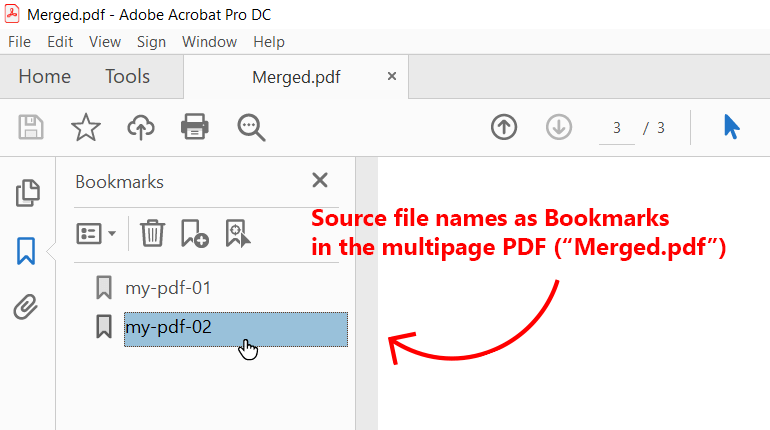
2PDF's Advanced Settings has a New file bookmarks title template option that allows using the filenames of source files as bookmarks when combining files. You can do it by adding the built-in macro {*SrcFileName} to that template. Once set, running 2PDF command on a folder of PDFs creates one merged PDF whose bookmarks are labeled by each source file's name.
Using source file names as bookmarks (step-by-step)
- Open 2PDF Advanced Settings. Run
2PDF.exe -inifrom the command line to open the 2PDF Settings dialog. - Locate the PDF format settings. Switch to the Advanced Settings tab and navigate to Output formats → PDF.
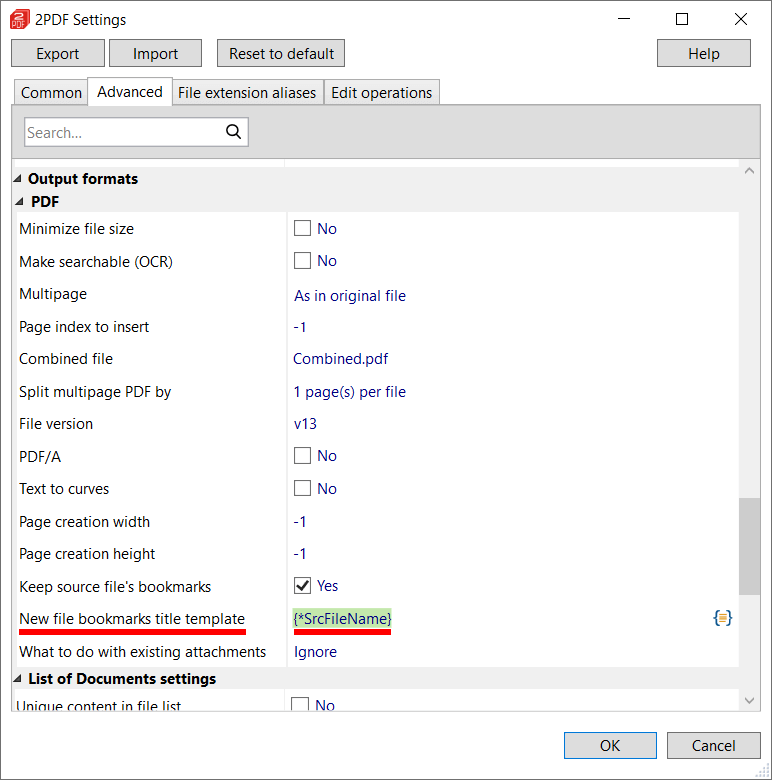
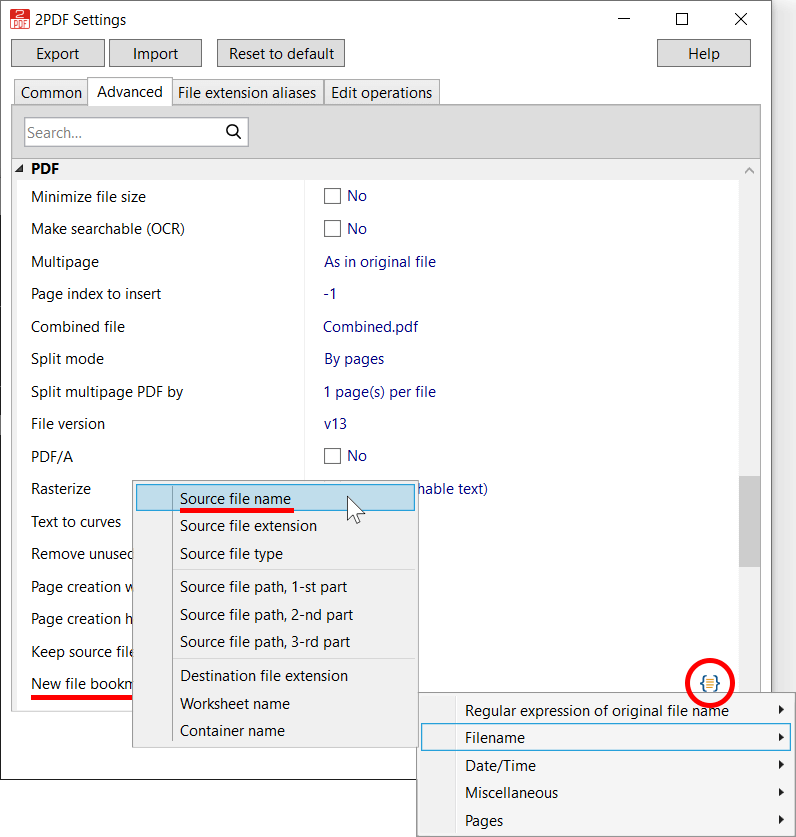
- Set the bookmark template. In the PDF settings, find the New file bookmarks title template field. Add the macro {*SrcFileName} here (you can paste it manually or click the {=} macro button and select Filename → Source file name).
- Save the settings. Click OK to close the Settings window and apply the changes.
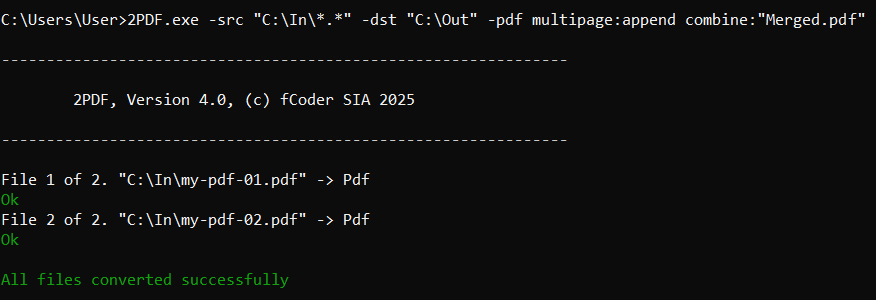
- Run the conversion command. Use a 2PDF command that merges files using the multipage:append option (-pdf multipage:append). For instance:
2PDF.exe -src "C:\In\*.*" -dst "C:\Out" -pdf multipage:append combine:"Merged.pdf"
This command takes all files in C:\In and combines them into Merged.pdf. To merge PDFs only, use C:\In\*.pdf instead. You can adjust the source path or wildcards as needed.
After running the command, check the output destination (-dst) for the resultant PDF file.
Note: Source files can be in different formats, such as DOCX, PDF, TXT, or image files. If you are merging mixed file types, make sure they are included in the list of supported formats.
As a result, 2PDF creates a single multipage PDF with a bookmark for each source file, using the original file names.

You may also like to read:
How to Save Email with Attachments into One PDF Using Attachment Names as Bookmarks